* You are viewing the archive for the ‘Game Design’ Category

Siegebreaker: Game vs Prototype

Siegebreaker – a free-to-play iPhone/iPad game by Crazy Monkey Studios, based on a prototype made by PreviewLabs – has been out for its first couple of weeks now.

During a brainstorm we organized for our customer Crazy Monkey Studios in 2010, we asked ourselves what it would be like if you could move the towers in a tower defense game. This little brainstorm exercise triggered our imagination: Towers were replaced by RPG-like heroes, walls were added to allow building mazes, and a king was added as moveable target for the enemies. The core concept for Siegebreaker was born!

The reviews aren’t lying – for example at AppGamer.net, the game gets a 9 out of 10 for gameplay!

July 2010, Wouter Boudry – one of our prototyping specialists – started developing the prototype. As usual, a lot of questions were still open: How much screen space should the units take? Should all the enemies take the shortest route to the king, or should they rather swarm towards him? And most important: will the core gameplay be strong enough to be the foundation for a great game?

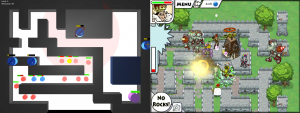
Left: The prototype graphics have been kept simple and clean, allowing to focus all budget and attention on the gameplay.
Right: Crazy Monkey Studios developed a vibrant art style featuring animated characters which were drawn frame-by-frame using old school methods.

To help answering these questions, we’re using our tuning system. This system allows us (and the customer) to play around with different settings and different feature combinations.

Left: The tuning parameters that were available in the prototype for the 'shotgunner' hero.
Right: In the final game, the heroes can be upgraded using power orbs.

While prototyping, we also discovered gameplay issues. For example, it could take a long time to make a unit to walk to a position on a nearby wall, having to follow the twists and turns of the maze. Wouter tackled this by allowing to build bridges between walls, allowing the heroes to move around more easily.

Left: Bridges form convenient ways to move to other parts of a level.
Right: In the final game, gates can be traversed.

Fast-forwarding to December 2, 2011, Siegebreaker has been released. They did a great job further extending the core concept for the full game, and came up with a colorful and vibrant art style. The reviews aren’t lying – for example at AppGamer.net, the game gets a 9 out of 10 for gameplay!

Left: When prototyping, we usually add simple messages to indicate the end of a level.
Right: The victory screen in the final game is simply hilarious and motivates the player to try it one more time.

Augmented Reality: Our Findings

When working with any new or existing technology – whether this would be HTML5, augmented reality, the Xbox360 Kinect, stereoscopic 3D or others – it’s important to know the technical limitations in order to assess the possibilities.

We’re happy to share some of our findings from our internal testing with augmented reality (AR) technology – the Qualcomm AR SDK for smartphones in particular.

A video of this technology in action can be seen in a previous blog post.
These are our findings:

  1. If you want your virtual objects to be displayed naturally in the real world, you’d have to set the light color and direction match these in the real world. There doesn’t seem to be an easy solution for this, but could be done by analyzing the images captured by the camera. When using marker images, a possible solution to get the appropriate light color may be to take the perceived color from white areas in the marker image and use this as the light color.
  2. When using marker images, you have to know that players can print these images at any scale they want – affecting the size of the virtual objects. This can be a problem for physics based games, as objects with different sizes behave differently.
  3. When a marker becomes visible, it takes some time until it’s recognized. This results in the 3D object popping up suddenly. One way this may be resolved or improved is by cropping the image from the camera when displaying it in the game, so the borders aren’t visible and the marker can be detected before it would be visible to the player.
  4. The detection of the markers can be slow, and virtual objects don’t properly follow when you swiftly move around your mobile device. This makes this implementation of marker-based augmented reality unsuitable for games where this kind of movements are required.

AR technology may trigger your imagination and you may come up with the wildest game concepts, but in the end it’s crucial to be aware of the technical limitations – otherwise it becomes very difficult to assess the feasibility of your ideas and to come up with solutions needed to realize these ideas.

Augmented Reality

A relatively recent trend in game development is augmented reality (AR).

In AR games, the real world is blended with a virtual world. This certainly is something that sounds very cool and triggers imagination.
However, until now there hasn’t been a real breakthrough, as the first mainstream AR game still needs to be developed.

In augmented reality games, the real world is blended with a virtual world. This certainly is something that sounds very cool and triggers imagination.

There are many different ways to create augmented reality (AR) games, often using image analysis. All of these methods are using a source of real-world images, such as a webcam or a smartphone’s camera.

Some of the possibilities:

  • Marker objects placed in the real world are tracked, resulting in a 3D position, orientation and scale that can be used to position a 3D object, which may be animated.
  • Using a device’s GPS and compass to determine the position of the player in the real world. This can be used for example to use real world positions for player interaction.
  • Image analysis can be used to recognize shapes and objects, such as the outlines of a building or corners in a wall, human beings or animals, cars, etc.

One of the first appearances of Augmented Reality I personally recall was in the 1987 movie RoboCop, where a fictional HUD commenting on real-world situations is shown.

A nice overview of possibilities that have already been tried out in games can be found in the augmented reality category at TouchArcade.

We have done substantial research on AR and developed an example prototype, which we’ll show in a next post.

GDC Europe 2011: Day 2

On Tuesday, I attended a talk titled Truth in Game Design by Jonathan Blow, creator of the game Braid – a platformer puzzle game, where time is manipulated in several interesting ways.

Jonathan started his talk by arguing that simple ‘systems’ often contain a lot of hidden beauty when observed closely.

To illustrate this, he showed us a movie clip zooming in on a fractal, and he also gave some examples of discoveries within the system of Conway’s game of life. Both of these systems are based on a very simple equation or algorithm.

Applying this to game design, he observes the game he has built, and asks certain questions to this system: “What if you would be able to reverse time?“, or “What if the time was determined by the position of the player on the screen?“. By slightly modifying the game in order to answer these questions, unexpected and interesting results can be discovered. Jonathan used this technique to discover many interesting puzzles for his game, Braid.

This is exactly what you can do when prototyping, but in a safe environment. When you have a prototype, you have this unique chance to explore your initial design idea, and discover interesting gameplay mechanics, while staying in a safe environment, separate from your production pipeline.

GDC Europe 2011: Day 1

Yesterday was the first day of the GDC Europe. Together with the gamescom (held in the same week), this is the biggest gathering of game developers, publishers and gamers on the European continent.

PreviewLabs will be available for business meetings and networking at both the GDC and the gamescom events.

Among the many speakers, there was Enric Alvarez of Mercury Steam, detailing on the development of Castlevania – Lords of Shadow.

A feature they wanted from the very start of the project was the ability to battle Titans – very huge boss-style enemies.

At first, the team was tempted to use quick-time events for these boss battles. During these quick-time events, the player would have to repeatedly press certain button combinations, in order to see an animation where the enemy gets defeated. This would make the implementation easy – offering less exciting gameplay, but still an elegant solution. After all, the actual battle against these Titans wasn’t essential for this hack and slash game.

Finally, they ended up prototyping this part of the game. The results of this were very satisfactory, so this part of the gameplay became one of the unique selling points of the game.

This shows how prototyping can not only help you to get the core mechanics right; it can also be useful for the more technically challenging parts of a game.

Recognizing the Value of Failure

Clinton Keith is making a very good point in a post about failure on his Agile Game Development blog (also posted on Gamasutra). In the article, he explains that you never know whether a game design idea will fail until you have tried it, and that it is important to generate useful information about this failure.

When exploring a new design, we want to generate information about its value. Is a design element going to add to the product? Is it going to be something the customer wants? Is its cost offset by a greater value? All of these are uncertain until we try it.

Clinton explains that you should try to extract as much information from a failure as possible. I couldn’t agree more.

When trying out an idea for the first time in a prototype, it may fail. This doesn’t always mean the idea was bad; it’s important to learn from the failure and to see in which way the idea could be modified to make it better. In the original article, this process is compared to binary search.

As we know, there’s a faster algorithm than binary search. It’s called interpolation search. This is the kind of search algorithm everyone is intuitively using when searching something in a dictionary: if you’re looking for a word starting with the letter ‘C’, you’ll start by opening the dictionary somewhere in the beginning (rather than opening it in the middle). In other words, you’re making an educated guess.

Binary Search versus Interpolation Search

A similar comparison could be made for game design. If you see that an idea fails, it may help you to improve it or to find a better idea. But more importantly, it will contribute to your ability to assess features before even trying them out. This ability allows you to find the fun in your game idea a lot faster.